LexiPage brings together every tool a professional needs — communication, file management, collaboration, and client-facing pages — into one seamless platform built for productivity.
As an office professional, your day is defined by the constant flow of communication, documents, and coordination across teams and departments. LexiPage was designed to collapse the fragmented toolchain that slows you down — replacing the juggle between email, chat apps, file drives, and scheduling tools with a single, unified workspace. With Private Chat, you can engage in real-time one-on-one conversations with colleagues featuring read receipts, typing indicators, emoji reactions, and the ability to share files directly within the chat — no more switching between messaging apps and cloud drives. When work involves a broader team, Collaboration Chat provides Circle-based group channels organized by project, department, or topic, complete with threaded replies, @mentions, and pinned messages so critical information never gets buried in a noisy feed.
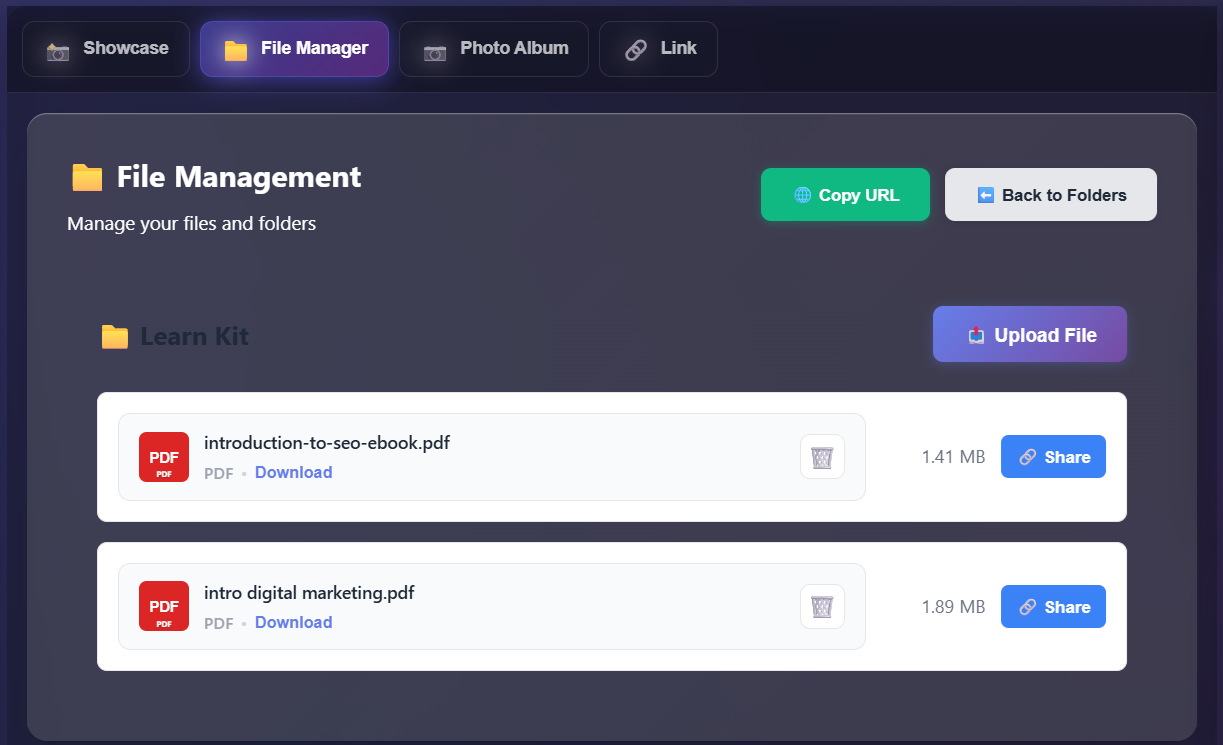
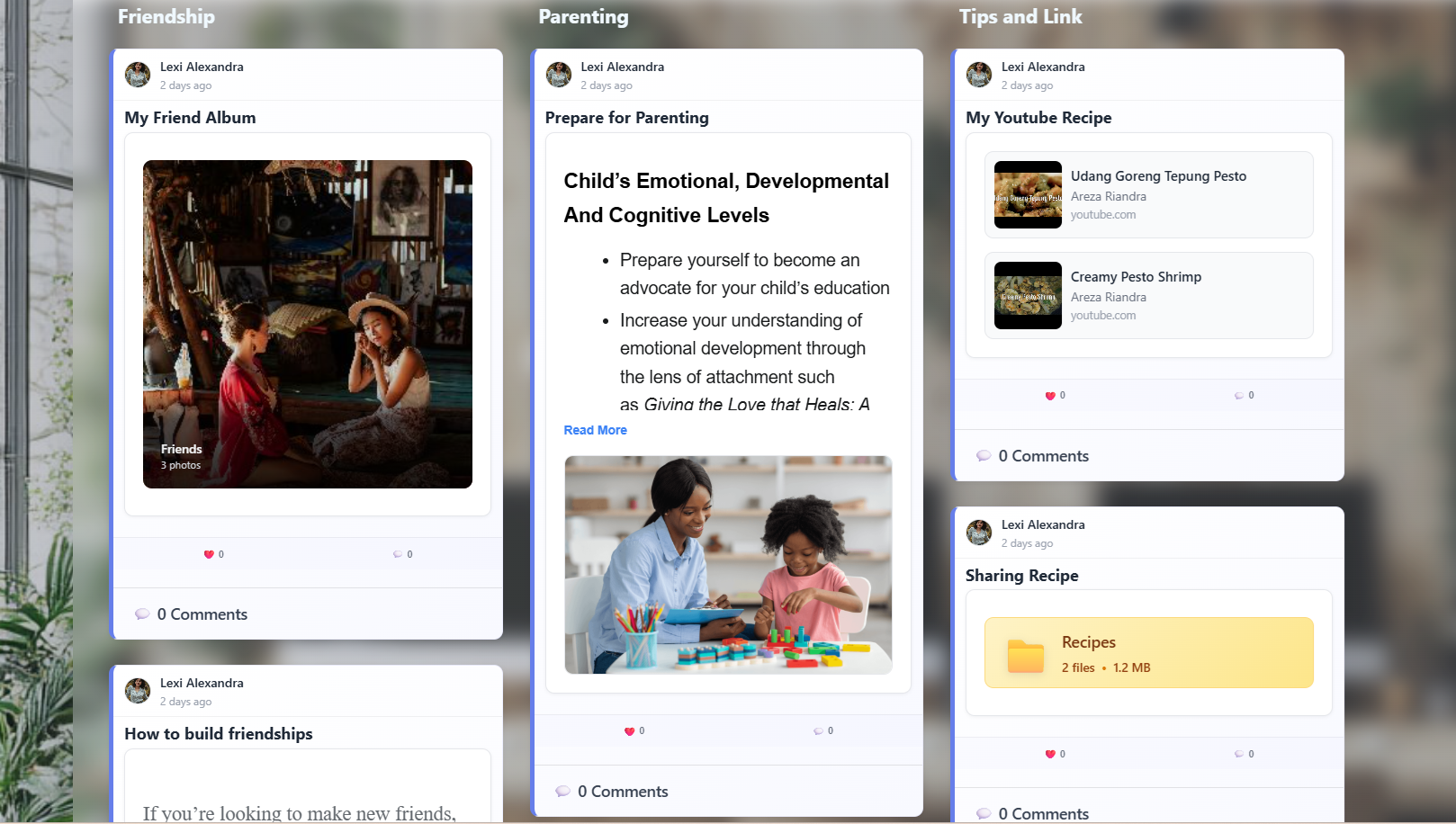
But communication is only half the equation. The built-in File Manager gives you a fully-featured document management system right inside LexiPage — create folders, upload any file type, search across your entire library, and track storage usage at a glance. Whether it's a presentation deck, a quarterly budget spreadsheet, or meeting notes, everything is accessible exactly where your conversations happen. Pair that with Photo Album for organizing team event photos, office documentation, or project visual assets into shareable albums with captions and grid layouts. For professionals who manage recurring projects, the Showcase feature lets you build beautifully structured pages with a masonry-style grid of cards — embedding rich text, images, YouTube videos, file folders, and more — perfect for internal dashboards, project summaries, or knowledge bases that your entire team can reference. LexiPage eliminates the need to context-switch between a dozen different tools; everything your office needs to communicate, organize, and collaborate lives under one roof.
Beyond internal operations, LexiPage empowers professionals to build a polished outward-facing presence without needing a web designer or a separate website platform. The Business Page feature lets you create a stunning professional profile complete with cover image, verified badge, services listing, team members, business hours, and contact information — all in a format that's discoverable, shareable, and always up to date. Complement your Business Page with a Portfolio to showcase completed projects, case studies, and creative work organized by category, making it effortless for potential clients or partners to browse your track record. And for professionals who need a quick, mobile-optimized landing page with all their important links — social profiles, websites, booking pages, and more — the Link Page gives you a Linktree-style bio page that consolidates your entire digital presence into a single URL.
When it comes to client work, LexiPage bridges the gap between relationship management and transactions. Use the Invoice Maker to generate branded, professional invoices with line items, totals, and payment status tracking — send them directly to clients and keep a clear record of every transaction. The Business Network connects you to an ecosystem of other professionals and businesses, enabling you to discover partners, share resources, and cross-promote services. For teams that thrive on open discussion and knowledge sharing, the Forum provides categorized discussion boards with threaded replies, upvotes, solved-status tags, and pinned announcements — ideal for internal Q&A, project feedback rounds, or community engagement with external stakeholders. LexiPage doesn't just help you work better internally; it gives you a complete suite of tools to present, transact, and grow your professional practice — all without ever leaving the platform.